

Creative Courses Internet Courses Network Certification Courses Fashion Designing Textile Designing Jewellery Designing Interrior Designing
 

Search for our courses
 
Our Courses :Creative Courses | Internet Courses | Programming Courses | Network Certification Courses | Security Certification Courses | Kids & ICSE Courses | Office Automation Courses | Financial Courses
 
 
Miscellaneous : Location of Compufield | Site Map | Student's Accomodation | Per Day Expenses | Jobs Assistance | Send to a Friend
 
Student's Registration : Registration Form | Payment Facilities | Indian Consulates | Visa to Apply
 
COMPUFIELD in Bandra (West) Franchise Course Enquiry IT Corporate Training
 

ISO 9001:2000 Certified Computer Institute 


Print Media
    Digital Art
    Commercial Art
       
Certificate in 2D & 3D Animation
 
Diploma in 2D & 3D
Animation
 
3D Animation Pro
 
Diploma in
Adobe Softwares
 
Designing Courses
    Fashion Designing
    Jewellery Designing
    Jewellery Designing Pro
    Textile Designing
    Interior / Architectural
Designing
    Diploma in
Interior / Architectural
Designing
    Interior / Architectural
Designing Pro
    Mechanical Designing
       
Individual Creative Courses
    Flash & Action Scripts
    Toon Boom
    3D Studio Max
    3D Character Studio
    Maya
    Final Cut Pro
    After Effects
    JewelCAD
       
Video Editing & Visual / Special Effects
    Certificate in
Video Editing &
Visual / Special Effects
    Diploma in
Video Editing &
Visual / Special Effects
    Video Editing Pro
    Visual / Special Effects
    Video Editing
    Video Editing
       
Multimedia & Digital Video Editing
       
Multimedia Pro
       
Digital Film Making
       
Digital Film Making Pro
       
Web Technology &
Multimedia
       
Web Technology &
Multimedia (Pro)
       
Web Designing, Software Engineering, E-Commerce & Global Marketing
       
Web Designing, Multimedia, E-Commerce & Global Marketing
       
Web Designing, Multimedia Pro, Software Engineering,
E-Commerce & Global Marketing


  Email ID:    


Diploma in Multimedia Pro

OUR MULTIMEDIA STUDENT'S REVIEW
Rina Shah, Course-"Web Publishing and Designing", Country-"India" Rahul Daswani, Course-"Web Publishing and Adobe Flash", Country-"Singapore" Stephen Ellsmore, Course-"Web Publishing, Designing & Global Marketing", Country-"UK"
Multimedia Review
 
Click Here For More Reviews
 
Multimedia Student's Video Review
 
View more Video Review's
 
Our Multimedia Student's Projects
 
OUR STUDENTS 3D STUDIO MAX PROJECTS   OUR STUDENTS PHOTOSHOP PROJECTS
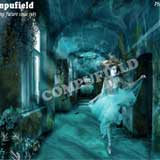
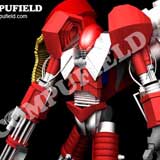
distance e-learning courses in 3d animation, multimedia, rendering, walkthrough views, film special effects, virtual reality, cartoon animation, 3d models,computer graphics and 3D space online training for building skeletons, setting up InverseKinematics   (IK), facial animation, skin deformation, creating and wiring sliders virtual lessons on animation, modeling, rendering, design visualization  for generate characters,create 3d film effects using autodesk 3ds max software   Student Multimedia Photoshop Project for Compufield. Project of Compufield Student for Multimedia Photoshop. With Photoshop's tools you can paint a likeness of a physical object.
             
OUR STUDENTS CORElDRAW PROJECTS   OUR STUDENTS ADOBE PREMIERE PROJECTS
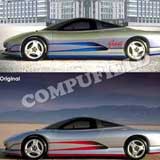
Student Multimedia Coreldraw Project for Compufield. Project of Compufield Student for Multimedia Coreldraw With CorelDRAW you can create Illustrations from scratch, enhance clip art, use and embellish scanned photos, and send your finished work out one of many ways.   Master the special effects you've always wanted. Learn the secrets of Output & Storage of your Images. Retouch, manipulate & enhance photographs.
             
OUR STUDENTS WEB PUBLISHING PROJECTS
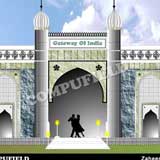
Compufield Students Web Publishing Project   Project in Web Designing   Project in Web Designing by Compufield Student  


Enquire About This Course
   
Name :
   
*Country Name
    e.g.India, UK, ....
Residence / Office Number :
Country Code City Code Number
    (Number-Coutry code & city code)
e.g. +91-22-23676218
     
Mobile Number :
     
*Email :
     
*Course Of Interest :
     
Enquiry :
    (*) Signed fields are mandatory.


ADOBE PHOTOSHOP

Adobe Photoshop is an Image Processing software package that enables you to create & edit images on IBM personal Computers. Adobe Photoshop is acknowledged in professional fields as the cutting-edge Program, the final word in Commercial Art.

SALIENT FEATURES

  • With Photoshop's tools you can paint a likeness of a physical object.
  • Mixing and Manipulating of colours at a click of a button.
  • You can Blend 2 Images.
  • You can create Patterns and Artistic Designs using Fills and Colours.
  • You can manipulate your Design images with Special Effects and Techniques.
  • You can Import and Export your Images.
  • Retouch, Manipulate and Enhance Designs & patterns.
 APPLICATIONS
  • It has been used to edit and create images as diverse as Commercial Art, Cosmetic ads, New Photos, Motion picture footage, Animation cells & Fine Art work.
  • Creates original Art & converts it to desired Platforms.
  • Retouch, manipulate & enhance photographs of Digital arts.
  • Master the special effects you've always wanted.
  • Learn the secrets of Output & Storage of your Images.
  • Web page designing.

For Photoshop Topics Covered

CORELDRAW

CorelDRAW is a Vector graphic software, allowing the user to produce World Class Illustrations with 16.7 million colours.

SALIENT FEATURES
  • With CorelDRAW you can create Illustrations from scratch, enhance the Designs, use and embellish scanned Photos of your Digital Art, and send your finished work out in many ways.
  • A vector-based drawing Program with extensive text handling and precision-drawing features.
  • Ideal tool for virtually any design project from Commercial Art to technical illustrations, advertisements, publishing and Internet publishing.
APPLICATIONS
  • Full-color Design Illustrations.
  • Complex Design Drawings.
  • Commercial Art.
  • Photorealistic Design Images.
  • Surrealistic Images.
  • Animation sequences.
  • Libraries of Designs.
  • High-quality drawings from low-resolution originals.
  • Web page designing.

For CorelDraw Topics Covered

Illustrator

Illustrator is a vector graphics creation software for print media and web, allowing the user to produce World Class Illustrations with 16.7 million colors.


SALIENT FEATURES

  • Creative tools for Print Media.

  • Sophisticated Web Graphic Tools.

  • Special Effects to Images.

  • Versatile Transparency Capabilities
  • Dynamic Media Projects
.
APPLICATIONS
  • Complex and High Quality Output.
  • Logos.
  • Libraries.
  • High Quality Illustrations.
  • Creating Banners, Posters, Handbills etc

.

Adobe Flash & Action Script

Prerequisite for learning Action Script is knowledge of the following in

C programming language -
  • Data Types
  • Functions
  • Conditions
  • Arrays
  • Loops
  • Classes

Adobe Flash multimedia applications that allow designers and developers the freedom to create rich and engaging applications, presentations, animations, and web sites.
      
For Salient Features & Applications Click Here

For Flash Action Script Topics Covered

3D - Studio Max

3D Studio Max is a tool from Kinetix for making 3D Models and Designs and also to create simple as well as complex 3-Dimensional Animations.

SALIENT FEATURES

  • Mechanical 3D Modeling and Rendering.
  • Architectural drawings and layouts of all kinds.
  • Interior design and facility planning.
  • Line drawings for the fine arts. 
  • Using 3D-Studio Max, is an important part of communicating with the drawing community.
  • Achieve impressive presentations by simply souping up your  2D drawings and presenting them in dynamic views.
  • Gain a competitive edge by taking the time to build full 3D drawings.
  • A new paradigm for Design Visualization.
  • 3D Studio Max is much more than just a form creation tool.
  • 3D Studio Max software gives you the freedom to experiment and race ahead with your ideas and Imaginations.
  • Photographic & natural backgrounds made by yourself to create extraordinary environment.
  • The Special effects & extra lighting effects to make environment much vibrant.
  • Integrated Keyframe Animation. Subtle Visual Effects - Visual effects are available like fog, atmospheric effects, volumetric lighting and the effect of fire to make, your Project much Powerful and Natural.
  • Powerful Materials Editor - Simple materials with full control of color, textures shininess, strength of shininess, self-illumination and opacity are built-in.
  • Rich Lighting Tools - Quick, precise control of lighting effects.
  • Nondestructive Booleans and Lofts Merging outer Scenes or Film Clips with the Project made in 3D Studio Max.
  • Completely Redesigned Documentation and Tutorials.
  • Auto Back Light - Automatically position the sun for any day of the year, any time of day, any position on the earth, or any angle true north relative to your model.
APPLICATIONS 
  • Create 3D Models and Render them into Images or Movie Clips.
  • With Autodesk 3D Studio Max, you can create High resolution, True-colour Image files in Industry standard file formats for Corporate Presentations, Broadcast Graphics, Interior designing, Walk-through Views, Design & Development.
  • Enhance the look of your interiors with special effects.
  • Give a Realistic look to your interiors as well as to your Architectural Designs.

For 3D Studio Max Topics Covered

Sound Forge

Sound Forge is a world class Program used for Sound Editing, Compression, Special Effects and to super impose sound on video presentation and animation.

SALIENT FEATURES

  • You can Record Sound and then edit it.
  • You can superimpose the sound files on Video presentation and Animation.
  • You can compress the sound files.
  • You can give Special Effects to the sound files.

APPLICATION

  • Sound forge is used by various professionals from the Music and Sound Industry such as Musicians, Sound Editors, Multimedia designers, Game designers, Studio engineers etc.

ADOBE AFTER EFFECTS

           Adobe After Effects software delivers a comprehensive set of tools to efficiently produce motion graphics and visual            effects for film, video, multimedia, and the Web.


INTRODUTION

  • After Effects.
  • New in After Effects 6.0.
  • Animation and Motion Graphics.
  • Formats that After Effects Produce.
  • After Effects Differ from Photoshop.
  • After Effects Different from Avid, Final Cut Pro, and Premiere.
  • After Effects Different from Adobe Flash.
  • Compositing.
  • To Get Video Content into AE.
  • Tools Need Besides After Effects.
  • More About Animation, Video, and Compositing.
SALIENT FEATURES
          

          After Effects offers unparalleled integration with Adobe Premiere Pro, Adobe Photoshop, and Adobe Illustrator to           produce professional results.
           
          Control the compositing environment while working in a 2D or 3D with this tool.

APPLICATIONS

          Create motion graphics.

          Unbelievable visual effect for films film, video, multimedia.

For Adobe After Effect Topics Covered


Adobe Premiere Pro

A powerful tool for professional digital Video Editing Designed for video professionals, Adobe Premiere Pro software spans the world of broadcast and online media. Thanks to its elegant interface and superb editing tools, you can work with complete efficiency, control, and flexibility to produce broadcast-quality movies for video, film, multimedia, and the Web.

SALIENT FEATURES

  • Digital video & sound, hence eliminates transfer losses.
  • Edits video & multimedia movies in standard formats like
    AVI, MOV, RAM, MPEG etc.
  • Creates Movie titles and graphics.
  • Super imposes titles and graphics, animation on video and film.
  • Adds transition and special effects.
  • Uses digital filtering for special effects in video & audio tracks.
  • Modifies movies with external applications.
  • Exports projects to video tapes.
APPLICATIONS
  • Multimedia presentations on any subject.
  • Film editing with special effects and movie making.
  • Movies and Video Clips for Online presentations and distribution.

For Adobe Premiere Pro Topics Covered


Final Cut Pro

Final Cut Pro is a professional non-linear editing system developed by Apple Inc. that has found popularity amongst independent filmmakers and Hollywood film editors alike. The program has the ability to edit many digital formats including, SD, HDV, HD, Panasonic P2, Sony XDCAM, 2K, 4K, and IMAX film formats. The system is currently only available for Mac OS X version 10.4.9 or later.

          SALIENT FEATURES

  • Broad Format Support:
    Final Cut Pro 6 lets you edit virtually anything with the highest possible quality, including camera-native editing of leading SD and HD formats. Work with DV one day, then HDV, XDCAM HD, DVCPRO HD, or uncompressed HD the next. Or use ProRes 422, Apple’s new post-production format, for uncompressed HD quality at SD file sizes.

  • Incredible Real-Time Effects:
    Add visual interest to any production with the rich set of effects and visualization tools built into Final Cut Pro 6. Experiment freely and iterate quickly. You’ll see the results of your changes in real time as you work, with no need to waste time waiting for renders.


  • Comprehensive Editing Tools:
    The faster the tools, the more time you have to be creative. Final Cut Pro 6 makes it easy to edit quickly, accurately, and flexibly. Everything you do in Final Cut Pro — from editing and trimming to audio mixing to finishing to delivery — feels like second nature, so your creativity can flourish


    APPLICATIONS

  • Film Industry
  • TV Channels
  • Production Houses
  • Multimedia Companies

    For Final Cut Pro Topics Covered


Maya

Maya is the world's most powerful 3D animation and visual effects software for the film, video, broadcast, game development, interactive, and location based entertainment markets.

SALIENT FEATURES

  • With a perfectly integrated, single environment that is completely customizable, Maya is optimized for maximum productivity.
  • Maya's speed and intuitive set of tools give you the power to unleash your imagination.
APPLICATIONS 
  • Create 3D Models and Render them into Images or Movie Clips.
  • Create Films
  • Create Video
  • Broadcast Movies and Special effect
  • Charactor Animations
  • Game Development
  • Interactive Multimedia presentation for Local National and International markets.


    For MAYA BASIC Topics Covered

    For MAYA ADVANCED Topics Covered


Duration Fees (Indian Rs.) Fees (US $) 
700 sessions of 1 hr each 1,10,000 3145
 
Management has full right to change courses, contents, tuition fees without prior notice.
 
Click here to Register for
Multimedia Pro
 
COMPUFIELD offers a unique style of learning -
One computer : One student : One Instructor The timing can be fixed based on our mutual convenience,
between 9.00 a.m. to 7.00 p.m.
Maximum Instructor to Student Ratio 1:4 Course duration in working days = Total sessions divided by number of sessions (hours) per day.
Sessions : Each session will be of 1 hour No extra charges/refund for more/less time taken to complete the course.

Fees is for one course and it includes instructions, practicals,practice, project, preparation for exam (if any)

Lodging, boarding and travelling not included in the fees.
Overseas / local Students take 5 to 10 hours per day to complete their courses earlier.    
 
Solve your Queries Online related to our Courses
Mobile Number
+919820134058 (MD)
Gmail
 compufield@gmail.com
Yahoo Messenger
Yahoo Messenger
compufield@yahoo.com
ICQ
MSN Messenger
compufield@hotmail.com