Jewellery Designing Using CorelDraw
2D Jewellery Designing Using CorelDRAW Topics Covered |
||||||||
| In 2D Jewelery Designing we teach you CorelDraw and Photoshop | ||||||||
| To see the topics covered in 2D Jewellry Designing Photoshop click here | ||||||||
|
||||||||
| ~ ~ ~ ~ ~ ~ ~ ~ |
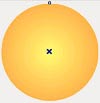
How to Start the CorelDRAW program Introduction to the CorelDRAW program, Menu bar & Drawing Toolbox Overview of Drawing tools Editing the object Basic shapes Shape Tools Fountain fill Gold shading |
|||||||
 |
||||||||
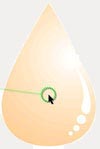
| ~ | Kundan | |||||||
 |
||||||||
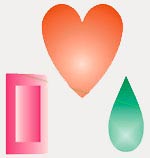
| ~ | How to make Colored Stones | |||||||
 |
||||||||
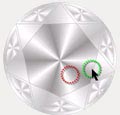
| ~ | How to make Diamond | |||||||
 |
||||||||
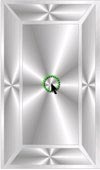
| ~ | How to make Bagget | |||||||
 |
||||||||
| Lesson - 2 | ||||||||
| ~ | How to make simple Rings |
|||||||
| a) Simple Ring - Design 1 b) Simple Ring - Design 2 c) Simple Ring - Design 3 |
||||||||
|
||||||||
| Exercise | ||||||||
|
||||||||
| Lesson - 3 | ||||||||
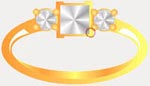
| ~ | Prong | |||||||
| a) Prong settings | ||||||||
 |
||||||||
| b) Prong Pave | ||||||||
 |
||||||||
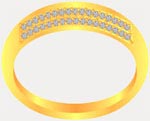
| ~ | Pave settings | |||||||
 |
||||||||
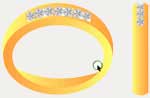
| ~ | Channel settings | |||||||
 |
||||||||
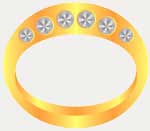
| ~ | Flush settings | |||||||
 |
||||||||
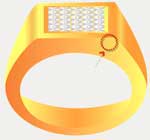
| ~ | Invisible settings | |||||||
 |
||||||||
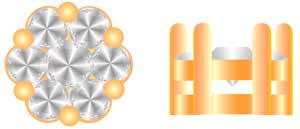
| ~ | Pressure settings | |||||||
 |
||||||||
| ~ | Bezel | |||||||
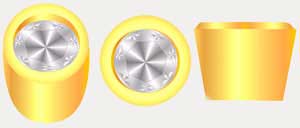
| a) Bezel settings | ||||||||
 |
||||||||
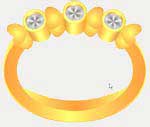
| b) Bezel Ring | ||||||||
 |
||||||||
| Lesson - 4 | ||||||||
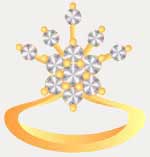
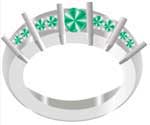
| ~ | Miscellaneous designs of Rings using different settings | |||||||
| a) Design Ring - 1 | ||||||||
 |
||||||||
| b)Design Ring - 2 | ||||||||
 |
||||||||
| Lesson - 5 | ||||||||
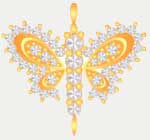
| ~ | Miscellaneous design of Pendants using different settings | |||||||
| a) Design Pendant | ||||||||
 |
||||||||
| Lesson - 6 | ||||||||
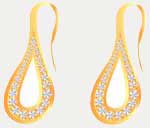
| ~ | Miscellaneous design of Earings using different settings | |||||||
| Design Earing | ||||||||
 |
||||||||
| Lesson - 7 | ||||||||
| ~ |
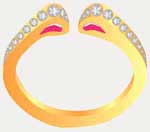
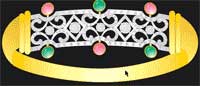
Miscellaneous designs of Bracelets using different settings | |||||||
| a) Design Bracelet - 1 | ||||||||
 |
||||||||
| b) Design Bracelet - 2 | ||||||||
 |
||||||||
| Lesson - 8 | ||||||||
| ~ |
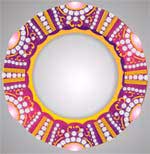
Miscellaneous design of Bangle using different settings | |||||||
 |
||||||||
| (Based on the above demos, please make the following exercises :) | ||||||||
|
||||||||
| Lesson - 9 | ||||||||
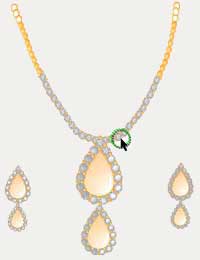
| a) Design Jewellery set including Necklace, Earings, Ring | ||||||||
 |
||||||||
|
||||||||
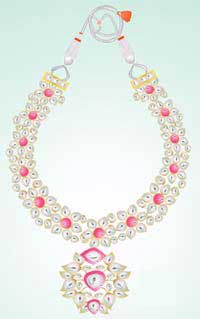
| b) Design a Necklace | ||||||||
 |
||||||||
Our Student's CorelDraw Project |
||||||||
|
||||||||