
| AUTOCAD |
| |
| AutoCAD is the most powerful and the most popular AUTOMATIC COMPUTER AIDED Drafting Program. We want to help you unlock AutoCAD's power to do your designing and drafting work, quickly and easily. |
| |
| Topics Covered in AutoCAD: |
| |
|
Getting Started: |
~
~
~
~ |
Starting & Closing AutoCAD
AutoCAD Interface Overview
Communicating With AutoCAD
Managing Your Drawing Files |
| |
| Display Commands: |
~
~
~
~
~
~ |
View Magnification
ZOOM Window
ZOOM Previous
ZOOM Extents & Zoom Object
ZOOM Scale
ZOOM & PAN In Real Time |
| |
| Coordinates & Basic Drafting Tools: |
~
~
~
~
~
~ |
Orthographic & Polar Coordinates
Object Snap Overrides
Running Object Snaps
POLAR & Direct Distance Entry
SNAP & GRID
Intro to OTRACK |
| |
| Creating 2D Geometry: |
~
~
~
~
~
~ |
Creating LINE Objects
Creating CIRCLEs & ARCs
Introduction to LWPOLYLINEs
Creating & Using POINTs
Introduction to ELLIPSEs
Creating Splines |
| |
| Editing 2D Geometry: |
~
~
~
~
~
~ |
Using ERASE to Delete Objects
Basic Selection Tools
MOVE & COPY
SCALE
ROTATE
Grip Editing |
| |
| Managing Object Properties: |
~
~
~
~
~
~
~
~ |
Introduction to Layers
Managing Properties BYLAYER
Linetypes & Drawing Scale
Introduction to Lineweights
Object Properties
Overriding BYLAYER Properties
Match Properties
CAD Standards |
| |
| CAD Construction Techniques: |
~
~
~
~
~
~
~
~ |
OFFSET
TRIM
EXTEND
FILLET
CHAMFER
MIRROR
STRETCH
ARRAY |
| |
| Creating Text & Defining Styles: |
~
~
~
~ |
Single Line TEXT Objects
Creating & Modifying Text Styles
Introduction to MTEXT Objects
Editing Existing Text
|
| |
| Introduction to Blocks: |
~
~
~ |
Making Block Definitions
Inserting Blocks & Drawing Files
Introduction to DesignCenter |
| |
| Dimensions & Crosshatching: |
~
~
~
~
~
~
~
~ |
Dimensions For Distance
Angular Dimensions
Radial & Diameter Dimensions
Introduction To Dimension Styles
Using Styles Defined In Other Drawings
Editing Dimensions
Creating New HATCH Objects
Editing Existing HATCH Objects |
| |
| Page Setup & Plotting: |
~
~
~
~ |
Overview
Creating New Layouts From Scratch
Freezing Layers in Viewports
Plot Styles |
| |
| Introduction to Drawing Setup: |
~
~ |
Drawing Setup Overview
Understanding Units in AutoCAD |
| |
| Salient Features |
| |
~
~
~
|
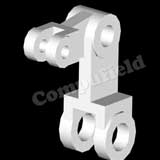
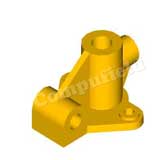
With AutoCAD, you can draw 2D Drawings as well as 3D Models with Rendering.
AutoCAD is also useful in Mechanical Drafting, Architectural Drawing, Interior Designing, etc.
The main feature of AutoCAD is not only to create drawings but drawings with proper dimensions and scale. |
| |
| Application |
| |
~
~
~
~ |
Interior Designing.
Architectural Engineering.
Mechanical Engineering.
Electrical Designing. |
| |
| |
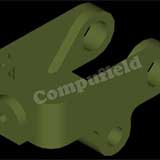
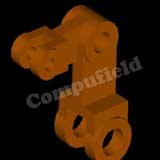
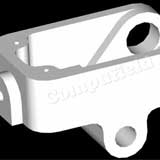
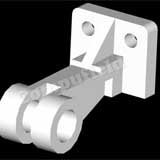
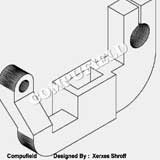
Our Student's AUTOCAD PROJECTS Projects
|
 |
 |
 |
|
|
| |
| 3D - STUDIO MAX |
| |
| 3D Studio Max is a tool from Kinetix for making 3D Models and Designs and also to create simple as well as complex 3-Dimensional Animations. |
| |
| Salient Features |
| |
~
~
~
~
~
~
~
~
~
~
~
~
~
~
~
~
~
|
Mechanical 3D Modeling and Rendering.
Architectural drawings and layouts of all kinds.
Interior design and facility planning.
Line drawings for the fine arts.
Using 3D-Studio Max, is an important part of communicating with the drawing community.
Achieve impressive presentations by simply souping up your 2D drawings and presenting them in dynamic views.
Gain a competitive edge by taking the time to build full 3D drawings.
A new paradigm for Design Visualization.
3D Studio Max is much more than just a form creation tool.
3D Studio Max software gives you the freedom to experiment and race ahead with your ideas and Imaginations.
Photographic & natural backgrounds made by yourself to create extraordinary environment.
The Special effects & extra lighting effects to make the environment much more vibrant.
Integrated Keyframe Animation. Subtle Visual Effects - Visual effects are available like fog, atmospheric effects, volumetric lighting and the effect of fire to help make, your Project Powerful and Natural.
Powerful Materials Editor - Simple materials with full control of color, textures shininess, strength of shininess, self-illumination and opacity are built-in.
Rich Lighting Tools - Quick, precise control of lighting effects.
Nondestructive Booleans and Lofts Merging outer Scenes or Film Clips with the Project made in 3D Studio Max.
Completely Redesigned Documentation and Tutorials.
Auto Back Light - Automatically position the sun for any day of the year, any time of day, any position on the earth, or any angle true north relative to your model.
|
| |
| Application |
| |
~
~
~
~ |
Create 3D Models and Render them into Images or Movie Clips.
With Autodesk 3D Studio Max, you can create High resolution, True-colour Image files in Industry standard file formats for Corporate Presentations, Broadcast Graphics, Interior designing, Walk-through Views, Design & Development.
Enhance the look of your interiors with special effects.
Give a Realistic look to your interiors as well as to your Architectural Designs. |
| |
For 3D Studio Max Topics Covered  |
| |
| |
| (Software - AutoCAD + 3D Studio Max) |
| Course Duration |
Fees (Indian RS.) |
Fees (US $) |
| 150 sessions of 1 hr. each |
19,000 |
530 |
|
| |
| (Software - AutoCAD + 3D Studio Max + Engineering Drawing) |
| Course Duration |
Fees (Indian RS.) |
Fees (US $) |
| 170 sessions of 1 hr. each |
23,800 |
660 |
|
| |