|
| |
| Course Content |
| |
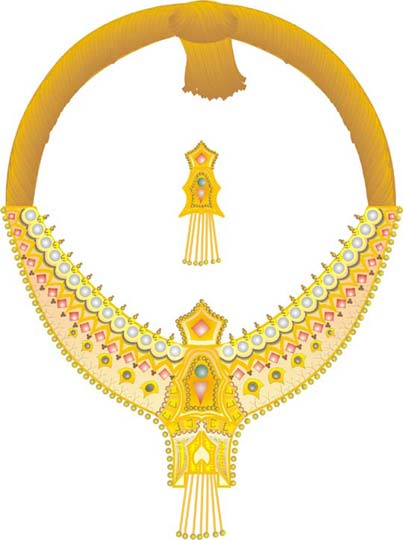
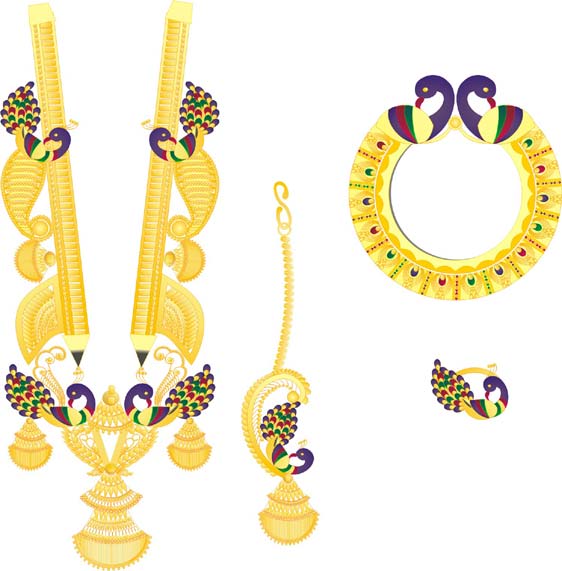
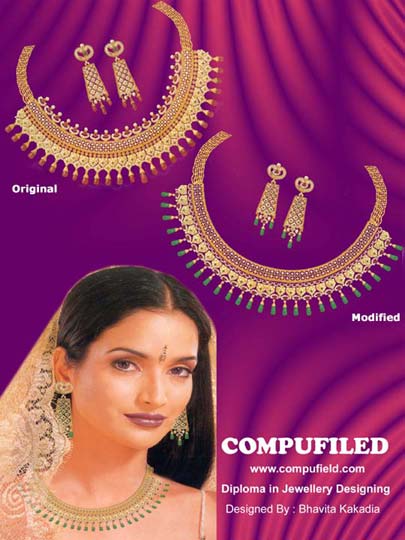
| This course begins from starting the CorelDraw Program and covers its powerful features used to create professional graphics. How to add basic drawing elements, and create different diamonds and precious stones, how to modify those elements and then edit and colour are covered in the exercises. You are then taken through some of the special effects that can be applied to them. The creative aspect of making bangles, rings, jewellery sets and other professional artwork is also covered. |
| |
|
|
|
| 1) |
How to Start the CorelDRAW program |
2) |
Introduction to the CorelDRAW program, Menu bar & Drawing Toolbox |
3) |
Overview of Drawing tools |
4) |
Editing the object |
5) |
How to combine two lines |
6) |
Learn to use Transformation (Mirror) of object and combine it |
7) |
Learn to use Transformation (Rotation), to make flower |
| |
|
8) |
Live Demos |
| |
| Live Demo - How to make a Heart |
| Live Demo - How to make a Heartleaf |
|
| |
|
| 9) |
Live Demo |
| |
a) Live Demo - How to make Round shaped diamond |
| |
b) Live Demo - How to make Bugget shaped diamond |
| |
|
| 10) |
Color Fill Tool |
| |
a) Fill Color |
| |
b) Fountain Fill |
| |
|
| 11) |
Outline Tool |
| |
a) Outline Pen |
| |
b) Outline color |
| |
c) No Outline |
| |
d) Outline Thickness |
Excercise - Ia |
Excercise - Ib |
Excercise - Ic |
|
|
|
|
| |
| Live Demos |
| a) |
Live Demo - How to color a Round shaped diamond |
| b) |
Live Demo - How to color a Bugget shaped diamond |
|
| |
Excercise - IIa |
Excercise - IIb |
Excercise - IIc |
|
|
|
|
Click here for enlarge version of Thumbnail |
| |
| Interactive Tool |
a) |
Interactive Blending Tool |
b) |
Interactive Contour Tool |
c) |
Interactive Extrude Tool |
| |
| Live Demo : To make a necklace and fill colors |
| Live Demo : To make a pendant |
| Live Demo : To make a Stone |
| |
|
| |
|
| |
Click here for enlarged version of Thumbnail |
| |
|
| |
Phase II |
| |
|
| 1) |
Differentiate Mode of Color |
| 2) |
Color Fill Tool |
| 3) |
Outline Tool |
| 4) |
Learn to use Interactive Mesh Fill Tool |
| 5) |
Arrange Menu |
| 6) |
Edit Menu |
| 7) |
View Menu |
| |
|
| 8) |
Live Demos |
| |
| |
Live Demo - How to fill Gold color |
| |
Live Demo - How to fill Platinum color |
| |
Live Demo - How to fill White Gold color |
| |
Live Demo - How to fill Silver Gold color |
| |
Live Demo - How to give Sandfinishing effect |
| |
Live Demo - How to give Pearl effect |
| |
Live Demo - How to give Kundan effect |
| |
Live Demo - How to give Diamond effect |
| |
Live Demo - How to give Bugget effect |
|
| |
|
| 9) |
Exercises in designing basic shapes of diamond with shading |
| |
Excercise - IIa |
Excercise - IIb |
Excercise - IIc |
|
|
|
|
| |
Click here for enlarged version of Thumbnail |
| |
|
| |
Phase III |
| |
|
| 1) |
Diamond with measurement |
| |
|
| 2) |
Live Demos |
| |
| |
Live Demo - Learn to make Gold Pendant |
| |
Live Demo - Learn to make Platinum Pendant |
|
Live Demo - Learn to make White Gold Pendant |
|
| |
|
3) |
Interactive Blend Tool |
| |
|
| 4) |
Live Demos |
| |
| |
Live Demo - Learn to make Gold Pendant |
| |
Live Demo - Learn to make Platinum Pendant |
|
Live Demo - Learn to make White Gold Pendant |
|
| |
|
| |
Phase IV |
| |
|
| 1) |
Text Option |
| |
|
| 2) |
Live Demo |
| |
|
Live Demo - Learn to make a Ring |
|
| |
|
| 3) |
Live Demo |
|
|
Live Demo - Learn to make Earrings |
|
| |
|
4) |
Live Demo |
| |
|
Live Demo - Learn to make Bangles |
|
| |
|
| |
Click here to register for
Diploma in Computer Generated Jewellery Designing |
| |
|
| |
|